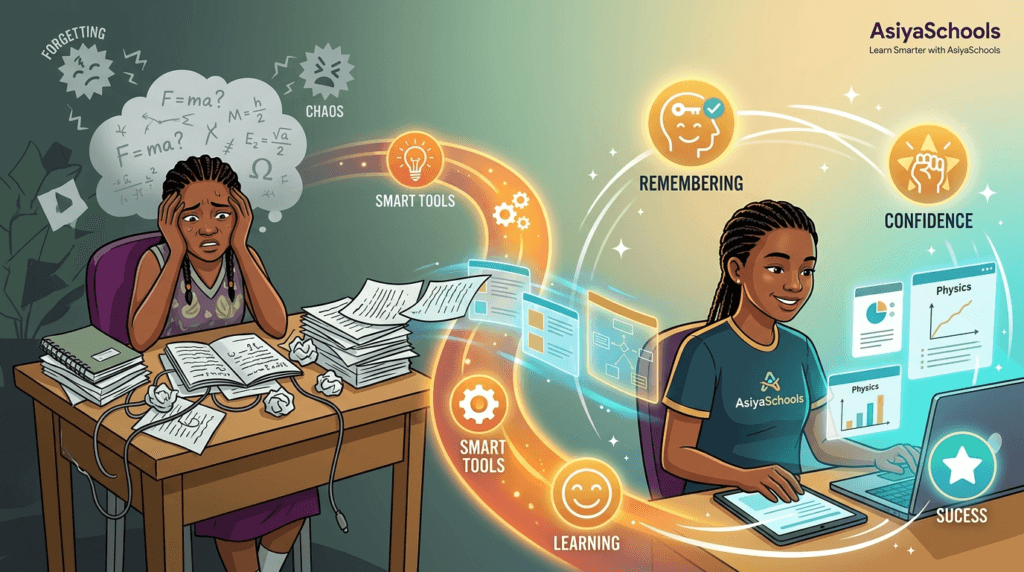
You finish a chapter, watch a lecture, or highlight pages of notes—then struggle to remember the important points the next day. This problem is common for secondary-school students, university students, and PhD researchers because time spent looking at material is not always time spent retrieving it.
Studying longer isn’t the whole solution. To actually remember what you study, you need to use smart tools. These tools can help you turn your notes into questions, go back over tricky concepts, and practice recalling information without peeking at the answers. The 10 AI study tools and learning platforms listed below can definitely make preparing for tests easier, but ultimately, it’s your own effort—answering questions, explaining things, and testing your understanding—that really makes the learning stick. If you want to go deeper on the technique side, we’ve also covered 10 science-backed ways to remember what you study
Building a habit around a few reliable AI study tools matters more than trying every new app
Table of Contents
Why You Forget After Studying
Rereading can create a misleading feeling of familiarity. A page may look recognizable, but an exam asks you to produce the idea without the page in front of you. That difference matters: recognizing information is easier than recalling it. This gap is well documented in cognitive psychology as the testing effect—retrieving information from memory builds stronger, longer-lasting retention than simply reviewing it again.
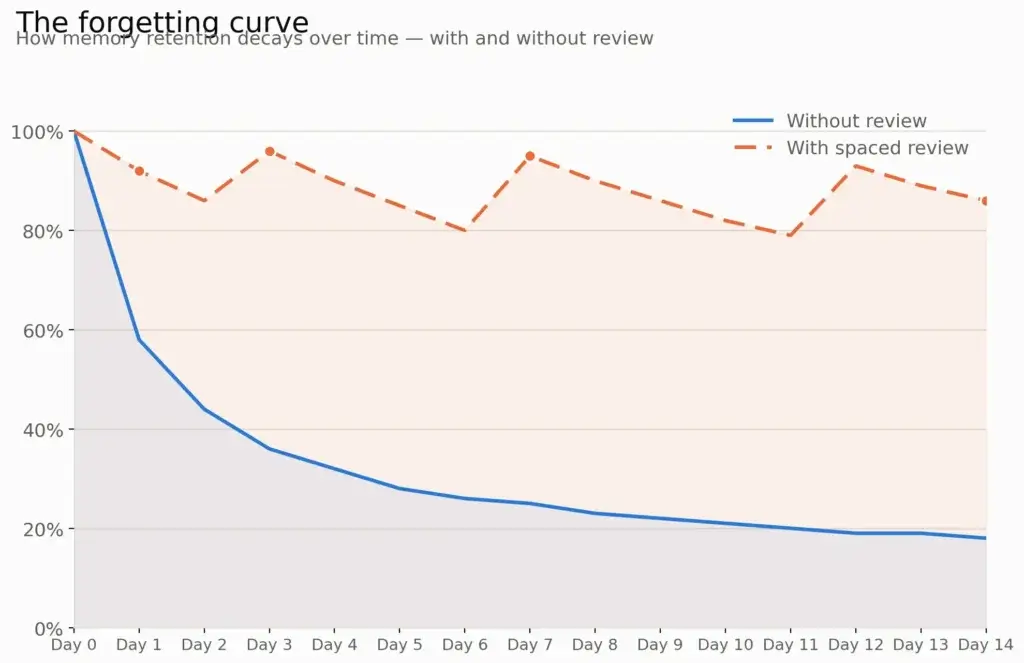
Long lectures, dense textbooks, scattered files, late-night cramming, and poor review habits can also make it harder to remember things. Smart study tools can help by organizing material and providing practice, but they’re most effective when you try to answer questions yourself first. AI should support critical thinking and learning, not take the place of a student’s own reasoning.
1. AI Flashcard Generators
AI flashcard generators convert lecture slides, PDFs, notes, and textbook sections into question-and-answer cards. This reduces the time needed to format study materials and gives you more time to practice active recall.
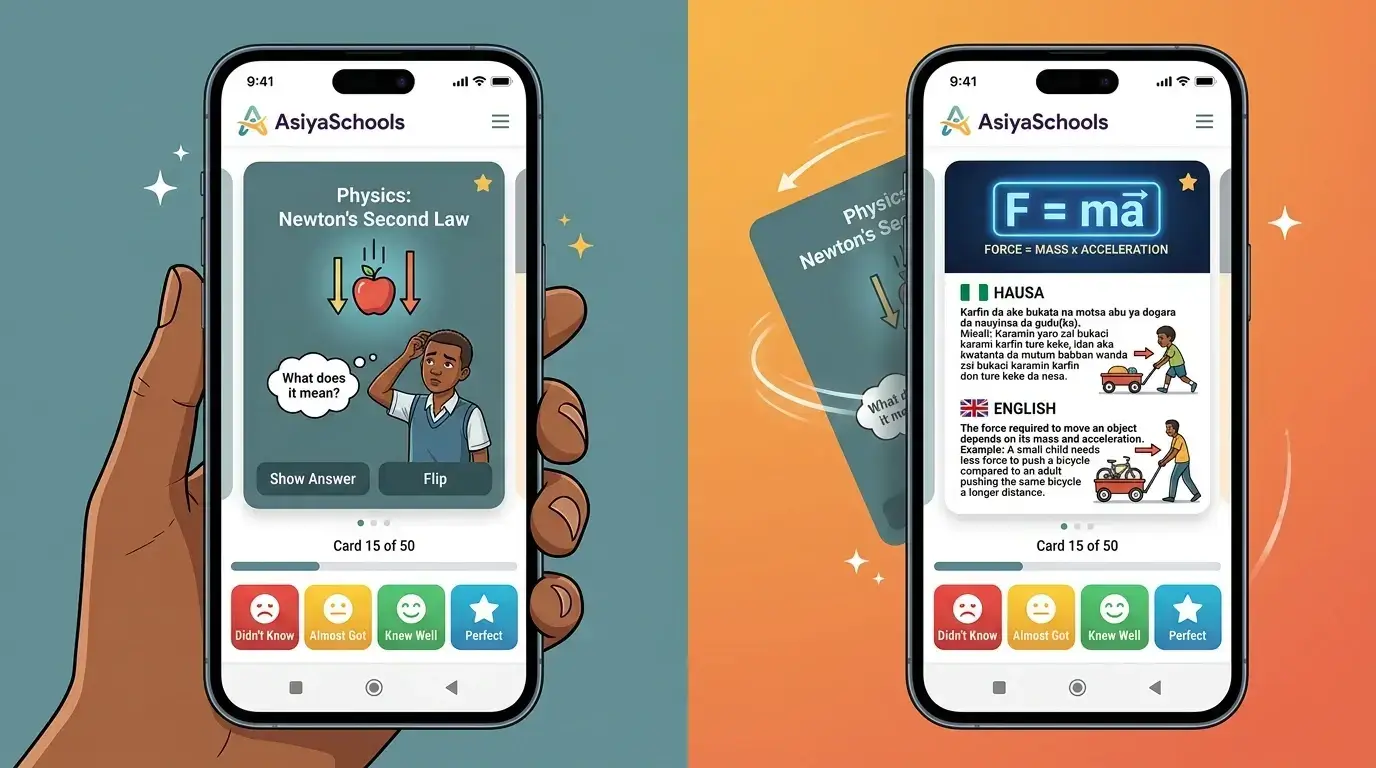
Use them well:
- Read the question and say or write your answer before flipping the card.
- Edit vague cards into precise questions.
- Make cards that ask for definitions, comparisons, examples, processes, and applications.
- Flag cards you miss for another review session.
Platforms such as StudyFetch and Mindgrasp promote automatic flashcard creation from uploaded course material, helping learners turn resources into testable prompts.
2. Spaced-Repetition Study Apps
Spaced repetition means reviewing material at planned intervals instead of trying to memorize everything in one sitting. A spaced-repetition study app can remind you to revisit difficult facts just before they are likely to fade.
This method works especially well for:
- Vocabulary and language learning
- Scientific terms and formulas
- Historical dates and key events
- Medical, law, and professional exam content
- Research concepts that require precise definitions
Start small. Review a manageable set of cards daily and prioritize the concepts you repeatedly miss. Consistency matters more than creating hundreds of cards in one evening.
3. AI Quiz Generators
AI quiz generators can turn notes and readings into practice tests. A quiz is useful because it exposes the gap between “I have seen this before” and “I can explain this independently.”
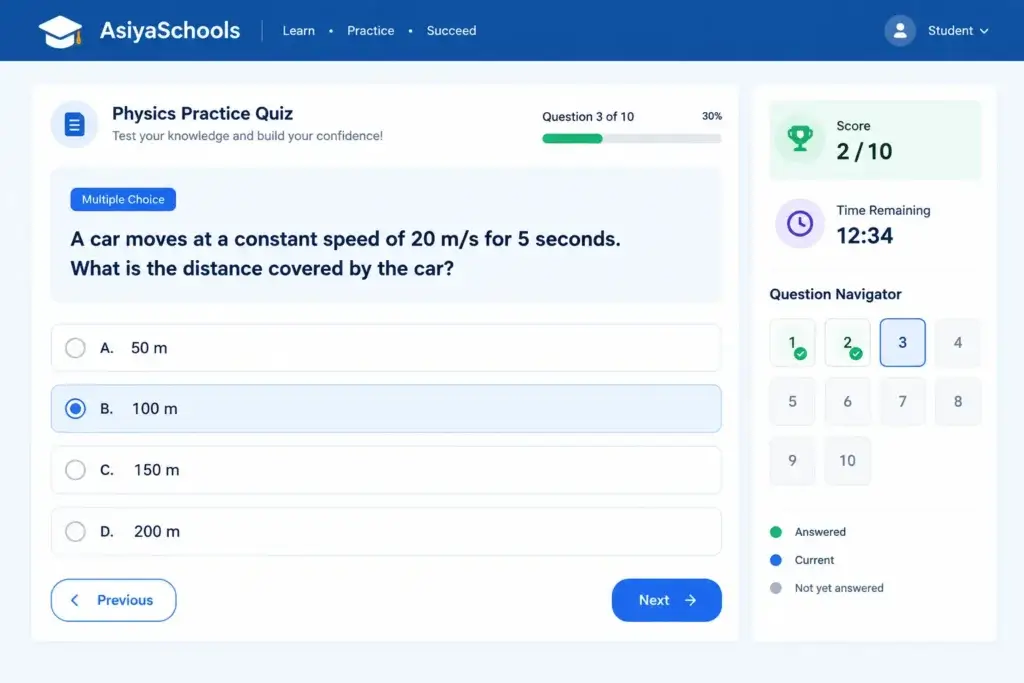
Choose tools that let you create varied question types:
- Multiple-choice questions for fast knowledge checks
- Short-answer questions for recall
- Scenario questions for applying a concept
- Essay prompts for deeper university and PhD-level thinking
After each quiz, do not only check the score. Write down why each missed answer was wrong and where you can find the correct explanation in your course materials. Mindgrasp and StudyFetch both describe quiz-generation features linked to uploaded study content.
4. AI Tutors for Study Support
An AI tutor can help when you are stuck at midnight, confused by an explanation, or unsure how two concepts connect. Instead of asking for a completed answer, ask the tutor to guide you with questions, give a simpler example, or test your understanding.
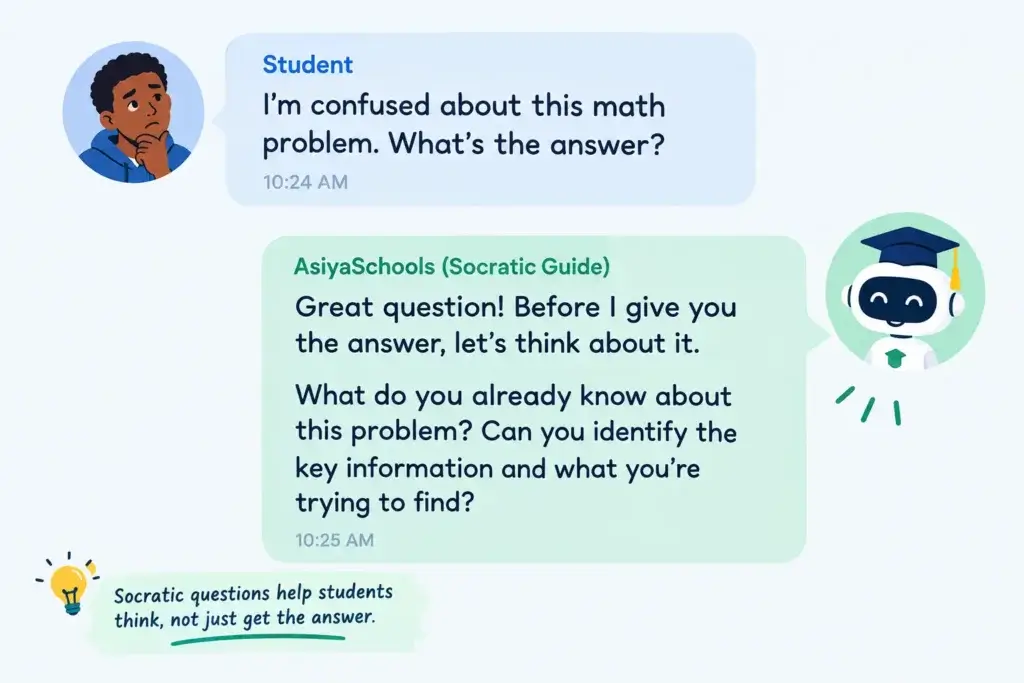
Try prompts such as:
- “Ask me five questions about this topic, one at a time.”
- “Explain this concept at the secondary-school level, then give me a harder university example.”
- “Help me find the error in my reasoning without giving me the final answer.”
- “Compare these two theories in a table.”
AI tutors can provide tailored explanations and feedback based on study sets or uploaded materials, but important facts, calculations, citations, and interpretations should always be checked against reliable academic sources.
5. Lecture Recording and Transcription Tools
If you lose focus during a lecture, a recording and transcription tool can turn what’s being said into searchable text. This is really helpful for finding definitions, examples, instructions, and key explanations later on.
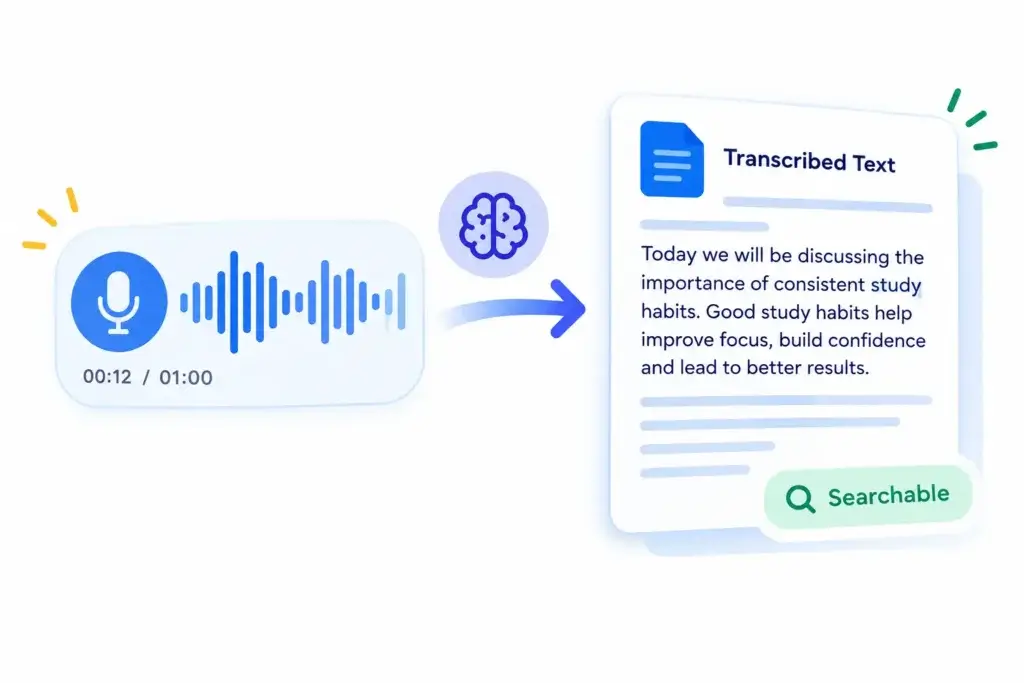
Do not treat a transcript as finished study. After reviewing it:
- Identify the three to five most important ideas.
- Rewrite each idea as a question.
- Create a flashcard, quiz item, or short explanation from each question.
- Test yourself again two days later.
This turns passive lecture capture into active exam preparation.
6. Digital note-taking AI study tools
Scattered notes make revision stressful. Digital note-taking tools can organize materials by class, unit, topic, assignment, or research question so you know what belongs together.
A simple structure is enough:
- One folder or workspace for each subject.
- One page for each lecture, chapter, or paper.
- A short “must remember” section at the top.
- A list of unanswered questions to review later.
- Links to flashcards, quizzes, and supporting sources.
For PhD students, use a separate section for research questions, key authors, methods, limitations, and evidence rather than relying on copied summaries.
7. AI Summarization Tools
AI summarization tools can make a long reading or lecture easier to approach. They are helpful for building a quick overview before close reading, revising broad themes, or finding sections that need more attention.
However, summaries should be a starting point—not the final version of your notes. Compare them with the original text and correct missing context, oversimplified arguments, inaccurate claims, or unclear citations. This is especially important for journal articles, policy documents, laboratory methods, and academic research.
A stronger routine is to read the summary, review the source, then close both and explain the main idea from memory.
8. Mind-Mapping and Concept-Mapping Tools
Mind maps and concept maps show how ideas relate to each other. They’re really useful when you need to understand connections, rather than just memorizing isolated facts.
Use a concept map for:
- Causes and effects in history or social science
- Biological systems and scientific processes
- Literary themes and evidence
- Legal principles and case relationships
- Theories, methods, and gaps in a literature review
Place the central topic in the middle, add the main concepts around it, and label each connection with a relationship such as “causes,” “contrasts with,” “leads to,” or “is evidence for.” Then try rebuilding the map from memory.
9. Progress-Tracking Learning Platforms
Progress-tracking learning platforms show what you have completed and where you still need practice. They can be particularly useful during exam revision, when it is easy to mistake a long to-do list for a study strategy.
Track:
- Topics reviewed
- Flashcards answered incorrectly
- Quiz scores by topic
- Questions you still cannot explain
- Dates for the next review
StudyFetch offers progress insights based on learners’ strengths and weaknesses, whereas Mindgrasp provides per-session progress tracking along with notes, flashcards, quizzes, summaries, and tutoring features.
10. Research and Citation Tools
For university and PhD students, remembering more also depends on working with trustworthy sources. Research tools can help you find publications, organize references, and keep track of evidence for essays, dissertations, and literature reviews.
Use them responsibly:
- Read the source material before you rely on a summary.
- Save complete citation details as you research.
- Separate an author’s claim from your own interpretation.
- Verify quotations, data, and references before submitting work.
- Follow your school’s rules on AI use and academic integrity.
AI can speed up administrative parts of research, but it does not replace careful reading, sound judgement, or original analysis.
A Simple Study System That Works
Use the tools as part of one repeatable process:
- Capture: Choose one lecture, chapter, article, or topic to organize.
- Understand: Read or watch actively and identify the main ideas.
- Create: Make flashcards, practice questions, a summary, or a concept map.
- Retrieve: Answer questions without notes.
- Review: Return to difficult material over several days.
- Explain: Teach the concept aloud or write it in your own words.
- Check: Verify AI-generated content against your class materials and credible sources.
The goal is not to use every new AI study app. Choose one or two tools that solve a real problem—such as turning notes into quizzes or scheduling review—and use them consistently.
FAQs
How can I remember what I study for longer?
Use active recall, spaced review, and self-explanation. Convert notes into questions, attempt the answers without looking, and revisit difficult concepts over several sessions.
Are AI study tools better than traditional flashcards?
AI tools can save time creating and organising flashcards, but traditional and AI-generated flashcards both work best when you actively retrieve the answer and review weak cards repeatedly.
What is the fastest way to stop forgetting lecture material?
Soon after the lecture, identify key ideas and turn them into questions. Test yourself within a day or two, then schedule later reviews instead of waiting until the exam.
Can AI Study tools help with exam preparation?
Yes. AI study tools can help organize notes, create flashcards and quizzes, clarify concepts, and track gaps. They should support—not replace—your own reading, problem-solving, and verification.
How can students use AI without cheating?
Use AI to explain concepts, create practice material, organize your revision, and give feedback on your thinking. Do not submit AI-generated work as your own or use it where your teacher, school, or examination rules forbid it.
Remember More, Not Just Longer
Studying for hours is not the same as learning deeply. The most useful smart tools reduce preparation time and make active practice easier, but memory grows when you recall, review, and explain ideas for yourself. If you want more ways to strengthen retention beyond these tools, 21 proven ways to improve your memory cover techniques that work alongside anything on this list.